- Client
- Jay Johnson, owner of four staffing companies
- Sectors
- Adult care, child care, cleaning services and more
- Replaced
- Connecteam, at about 50% less
- Live at
- jonvexa.com
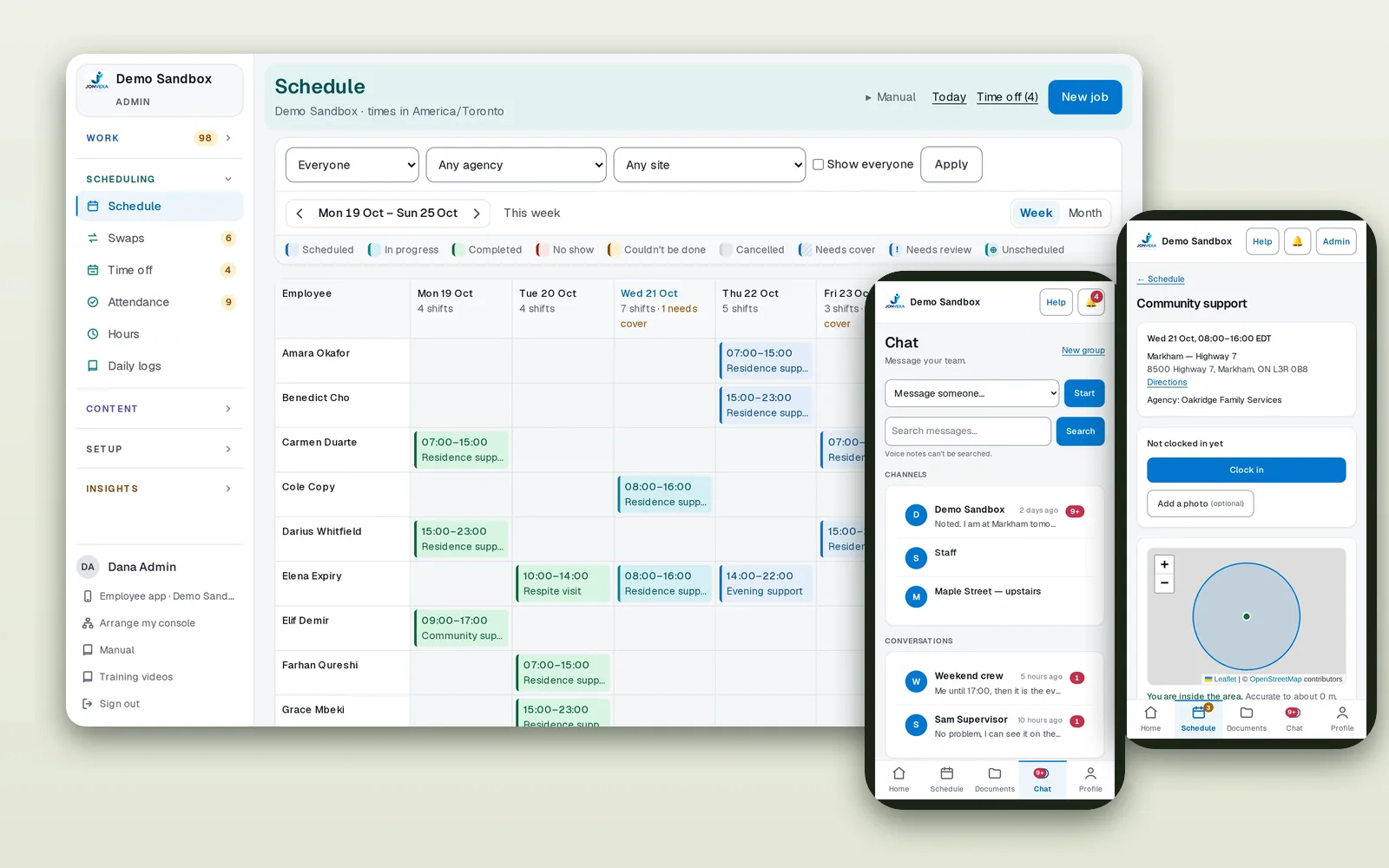
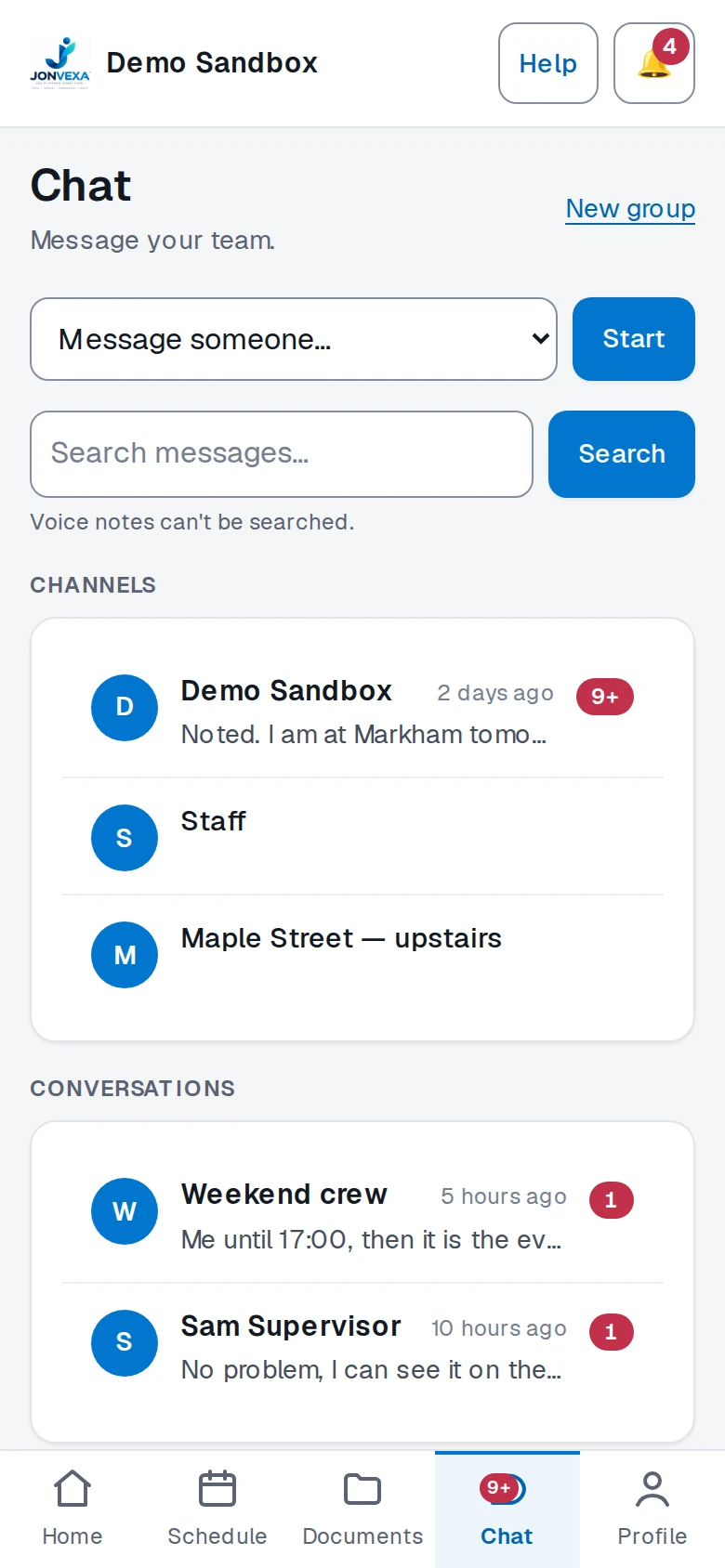
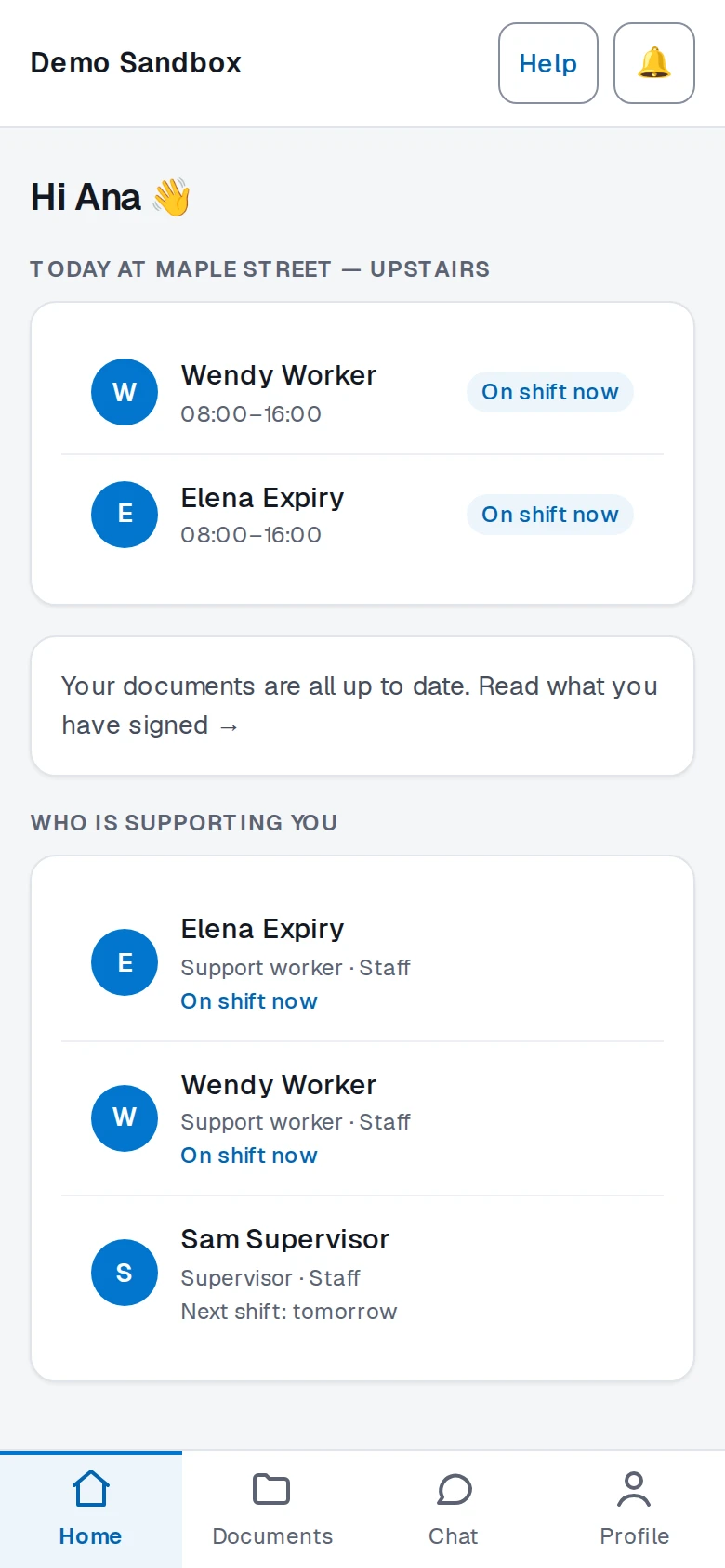
The office schedule on desktop, with the staff app's chat and clock-in screens. Demo data.
The problem: paying a lot for software that didn't fit
Jay runs four staffing companies: adult care, child care, cleaning services and more. Every one of them needs the same basics. Staff get onboarded, scheduled, clocked in, trained and kept compliant. But each business does those things a little differently.
All four were running on Connecteam. It's a capable product, and for plenty of businesses it's the right call. Here, though, it had become an expensive compromise. The monthly bill across four companies was significant, and the team kept bending their processes to fit the tool instead of the other way around.
Care work makes that worse. Foster-parent onboarding, resident care records, medication grids and auditor visits are not features you find in a general-purpose shift app.
Why custom made sense here (and when it doesn't)
Most businesses should use off-the-shelf software. Building your own only pays off when two things are true at once: the subscription cost keeps growing with your headcount, and your workflow is specific enough that you're constantly working around the tool. Jay's businesses had both. If you only have one of those problems, a better-configured existing tool is usually the cheaper answer, and we'll tell you that.
What we built
One login, four portals (office, staff, client and auditor), and 14 areas of the business covered across 65 screens. Each company keeps its own rules, groups, forms and vocabulary, and someone who works for more than one company switches between them without signing in again.
- Onboarding. Checklists per group, uploads verified by the office, one review queue.
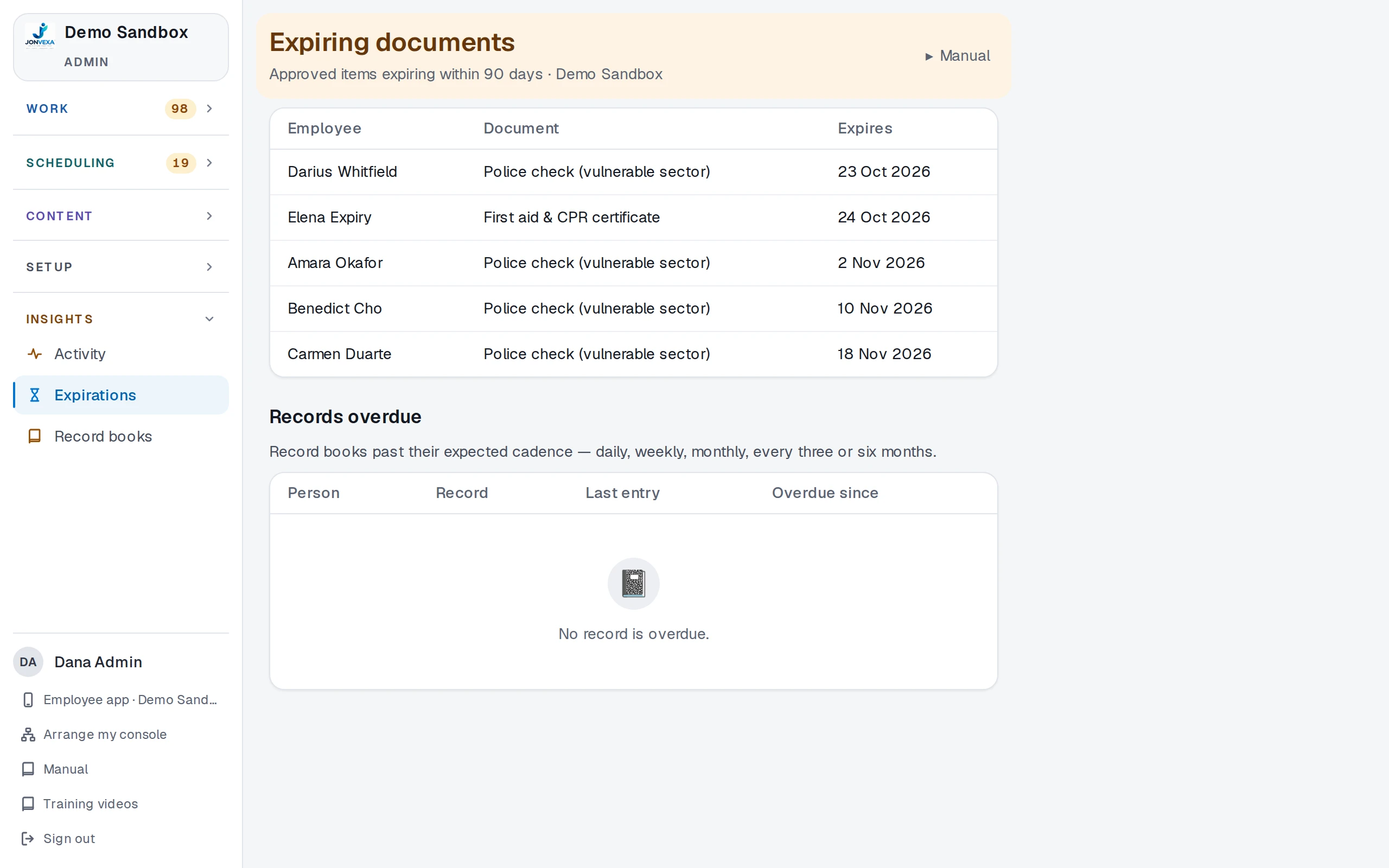
- Documents and signing. Forms built on the company's own PDFs, sealed signatures, expiry tracking.
- Training. Courses with quizzes, automatic grading and policy acknowledgements.
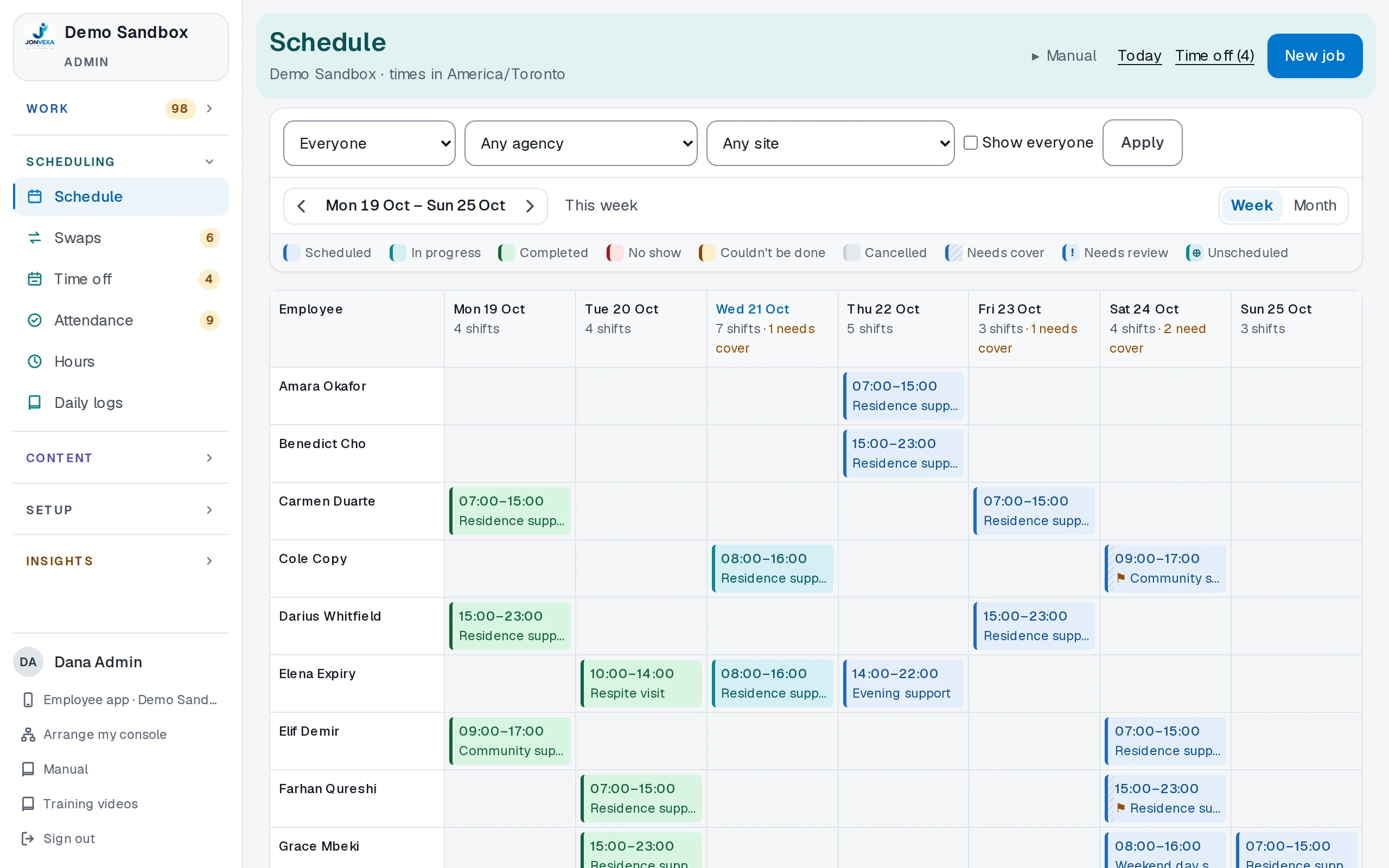
- Scheduling. Weekly views by agency or site, repeating shifts, swaps, time off.
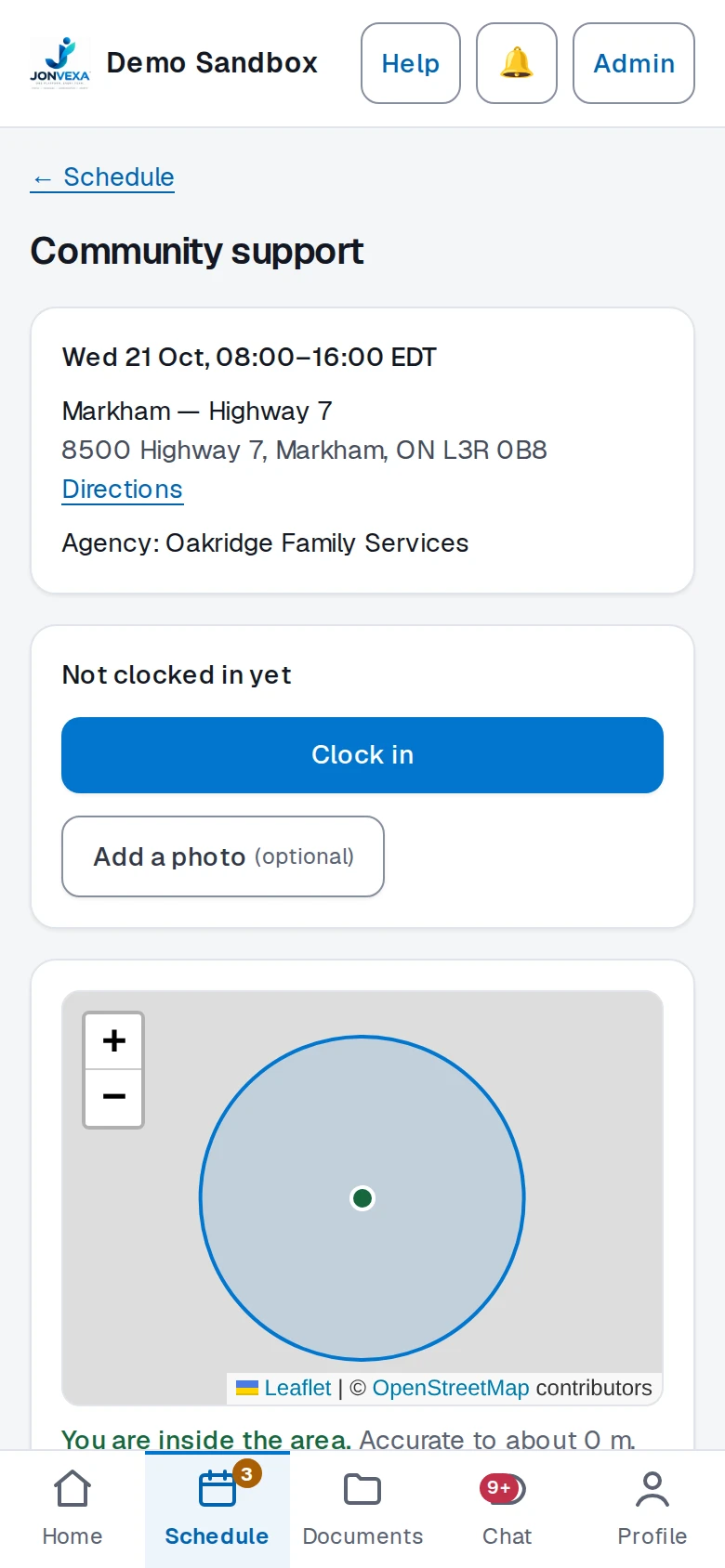
- Attendance and hours. Location-checked clock-in, a live Today board, CSV hours exports.
- Daily log. Shift checklists with photos and office sign-off.
- Care records. Resident files, placements, medication grids, entries that can't be edited once written.
- Chat. Channels, groups and direct messages, with moderation and retention settings.
- Announcements. Targeted notices with read receipts, plus email and SMS alerts.
- People and access. Custom roles built from individual permissions.
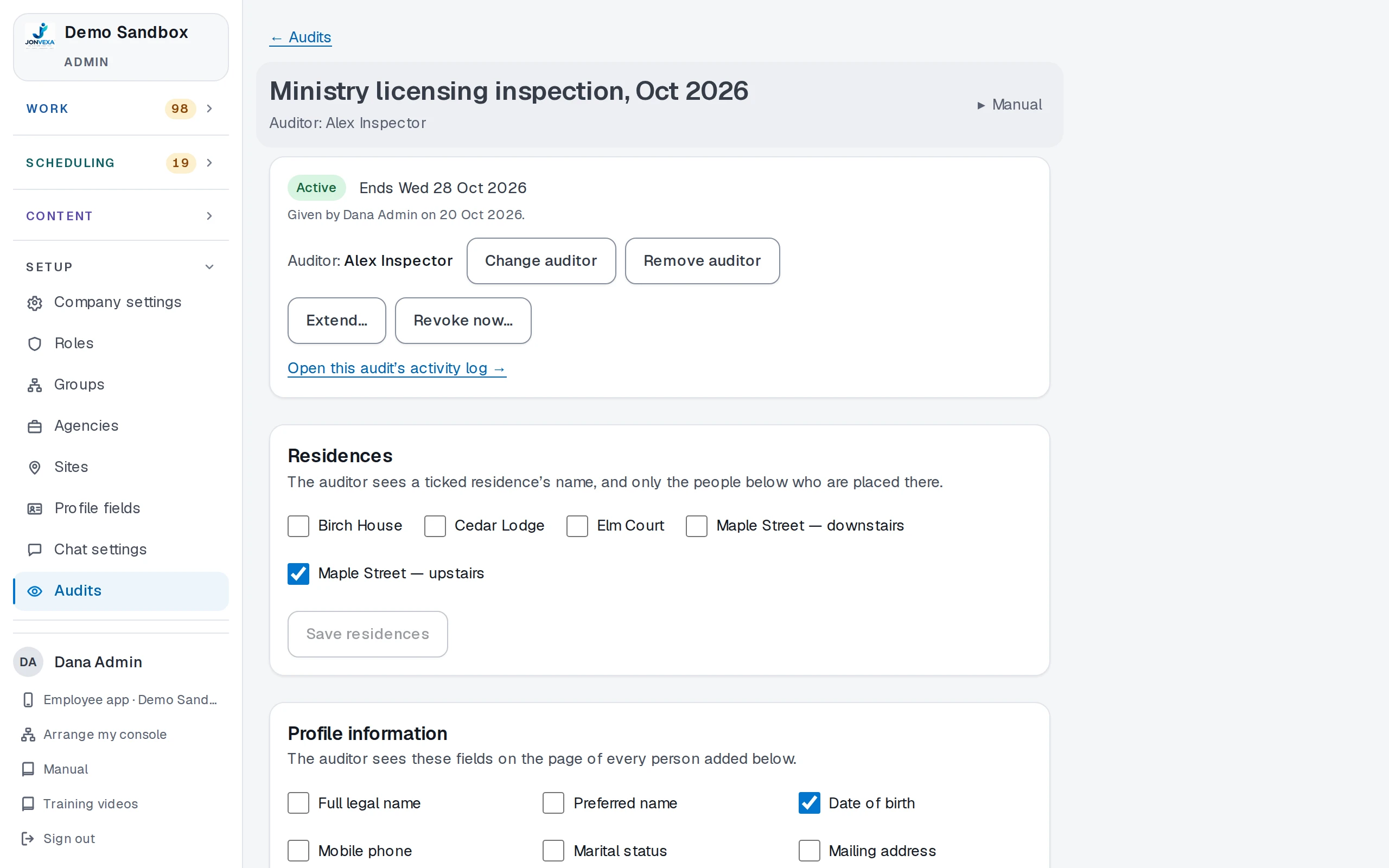
- Audits and compliance. Time-limited, read-only auditor access with every view recorded.
- Client portal. Clients see who is on shift and which documents are signed.
- Shaped to each company. Its own terms, activation rules and attendance rules.
- Mobile and security. Installs to the home screen without an app store, encrypted sensitive fields, full audit trail.
Built for the people on shift
Most of the people using Jonvexa are frontline staff on their phones, not managers at desks. So the staff side was designed phone-first. Clock-in only works inside the site's area, chat lives in the same app as the schedule, and clients get a simple screen showing who is supporting them today.
Compliance without the scramble
Care companies get audited. Instead of exporting folders before every visit, the office gives an auditor time-limited, read-only access to the exact people, residences and fields they need to see. Every document an auditor opens is recorded, and the access expires on its own.
Where it stands
Jonvexa is live and running all four companies. It costs Jay about 50% less than the Connecteam subscription it replaced, and it does the things Connecteam couldn't, because it was built around Jay's workflow from day one. Jay also owns it outright. There's no per-seat pricing that climbs with every new hire.
That 50% is the only number on this page, because it's the one we can stand behind. As the platform runs longer, we'll add more real numbers here, not made-up ones.
Paying for Software That Doesn't Fit?
Tell us what you're using and where it gets in the way. If a better setup of your current tool would fix it, we'll say so.